

Week-8 Lab: Vulnerability Management
Learning Objectives
By the end of this lab, you should be able to:
- Classify vulnerabilities using CWE.
- Identify vulnerabilities by CVE IDs.
- Score vulnerabilities with CVSS v4.0.
- Prioritise remediation using KEV and EPSS.
- Perform a basic vulnerability scan in a controlled environment and interpret results.
Part 1 - Conceptual and Web-based Research
Task 1 - Classification (CWE)
- Visit CWE.
- Look up the following weaknesses:
- CWE-79 (XSS)
- CWE-89 (SQL Injection)
- CWE-798 (Hard-coded Credentials)
- CWE-327 (Weak Cryptography)
- For each, summarise in a table:
| CWE | Root Cause | Example Consequence | Mitigation |
|---|---|---|---|
| CWE-79 (XSS) | |||
| CWE-89 (SQL Injection) | |||
| CWE-798 (Hard-coded Credentials) | |||
| CWE-327 (Weak Cryptography) |
Task 2 - Identification (CVE)
- Go to CVE.org.
- Research these vulnerabilities:
- CVE-2021-44228 (Log4Shell)
- CVE-2022-22965 (Spring4Shell)
- CVE-2019-11043 (PHP-FPM RCE)
- CVE-2017-15227 (Weak password hashing)
- For each CVE, record:
- Short description
- Impacted products/versions
- Reference link to vendor patch
| CVE | Short Description | Impacted Products / Versions | Vendor Patch / Reference Link (if possible) |
|---|---|---|---|
| CVE-2021-44228 (Log4Shell) | |||
| CVE-2022-22965 (Spring4Shell) | |||
| CVE-2019-11043 (PHP-FPM RCE) | |||
| CVE-2017-15227 (Weak Password Hashing) |
Task 3 – CVSS v4.0 Scoring
In this task you will score four real vulnerabilities using the CVSS v4.0 calculator and then decide which one poses the greatest risk to FinBank, a financial services organisation that handles large volumes of sensitive customer and transaction data.
Vulnerabilities to Score
Use the CVEs provided in the table:
| CVE ID | Name |
|---|---|
| CVE-2021-44228 | Log4Shell |
| CVE-2022-22965 | Spring4Shell |
| CVE-2019-11043 | PHP-FPM Remote Code Execution |
| CVE-2017-15227 | Weak Password Hashing (Huawei Routers) |
Tools
Use one of the following CVSS v4.0 calculators:
- https://www.first.org/cvss/calculator/4.0
- https://www.metaeffekt.com/security/cvss/calculator/ Make sure you use V4, see below.
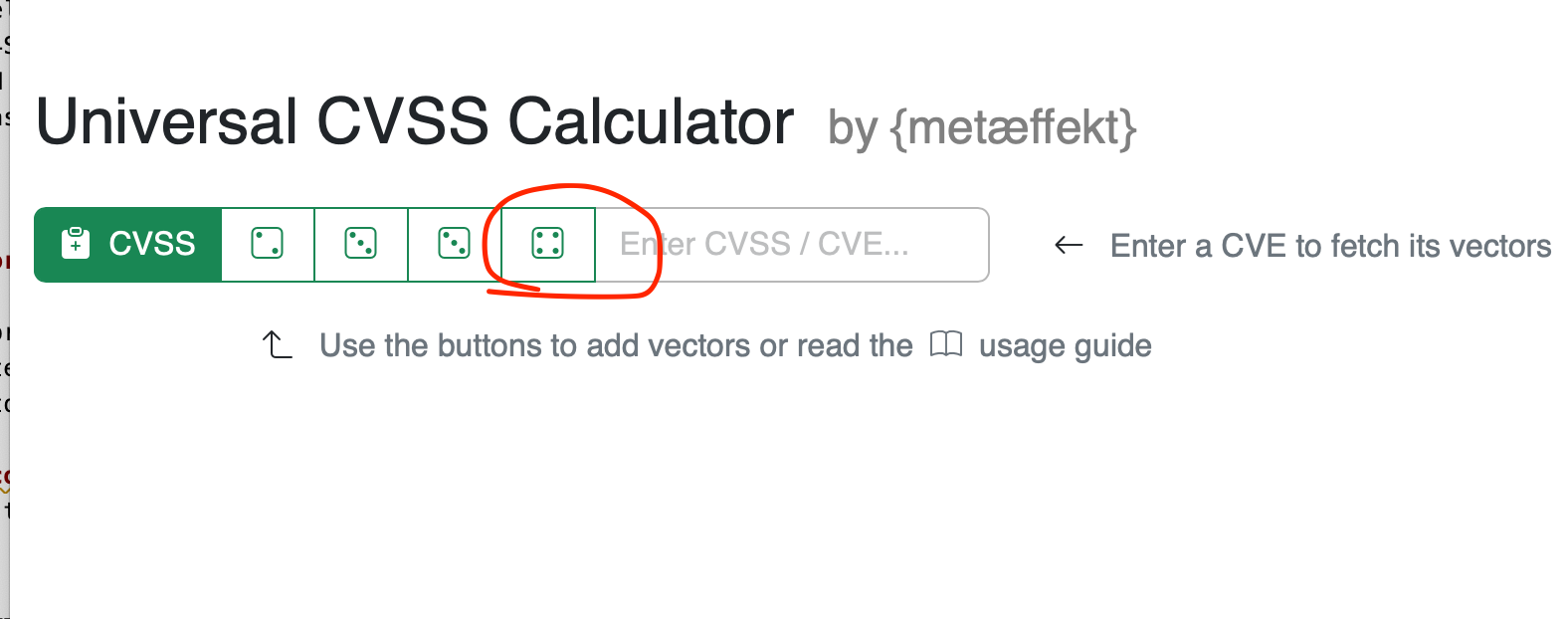
1. Base Metrics
For each CVE, determine the Base Metrics:
- Attack Vector (AV)
- Attack Complexity (AC)
- Attack Technique (AT)
- Privileges Required (PR)
- User Interaction (UI)
- Confidentiality Impact (VC)
- Integrity Impact (VI)
- Availability Impact (VA)
Record your chosen vector for each CVE.
2. Threat Metrics
Add the Threat Metrics:
- Exploit Maturity (E)
- Automatable (AU)
- Safety metrics (SC, SI, SA)
- Provider Urgency (PU)
Use the information you find in advisories and security reports.
If information is missing, select the most reasonable option and justify briefly.
3. Environmental Metrics
Now apply Environmental Metrics to reflect a typical high-sensitivity environment
(for example, an online service handling personal and transactional data):
- Confidentiality Requirement (CR): High
- Integrity Requirement (IR): High
- Availability Requirement (AR): Medium
For each CVE:
- Set CR, IR and AR in the calculator.
- Recalculate the score with these environmental values applied.
- Record the updated vector and final score.
4. Compare and Interpret
For all four CVEs:
- List the final CVSS scores after applying the environmental metrics.
- Identify which CVE has the highest overall score.
- Rank the CVEs from highest to lowest risk in this context. Consider:
- Exploitability (how easy it is to use)
- Impact on confidentiality, integrity and availability
- Known exploitation status (for example, whether it appears in KEV)
Provide a short explanation (2–3 sentences) for your ranking.
Task 4 - Prioritisation (KEV and EPSS)
- Check if your CVEs appear in the CISA KEV Catalog.
- Look up their EPSS probability on EPSS.
- Rank vulnerabilities in a patching order.
- Reflect: does the highest CVSS score always mean the top priority?